 iPhone · iPad · Mac
Turn complex scans into editable files, locally
Run vision AI models completely offline on your Apple devices. Scan curved book pages, stitch scrolling articles, and extract equations, tables, and code.
100% On-Device AI · Formulas & Tables · Free Download
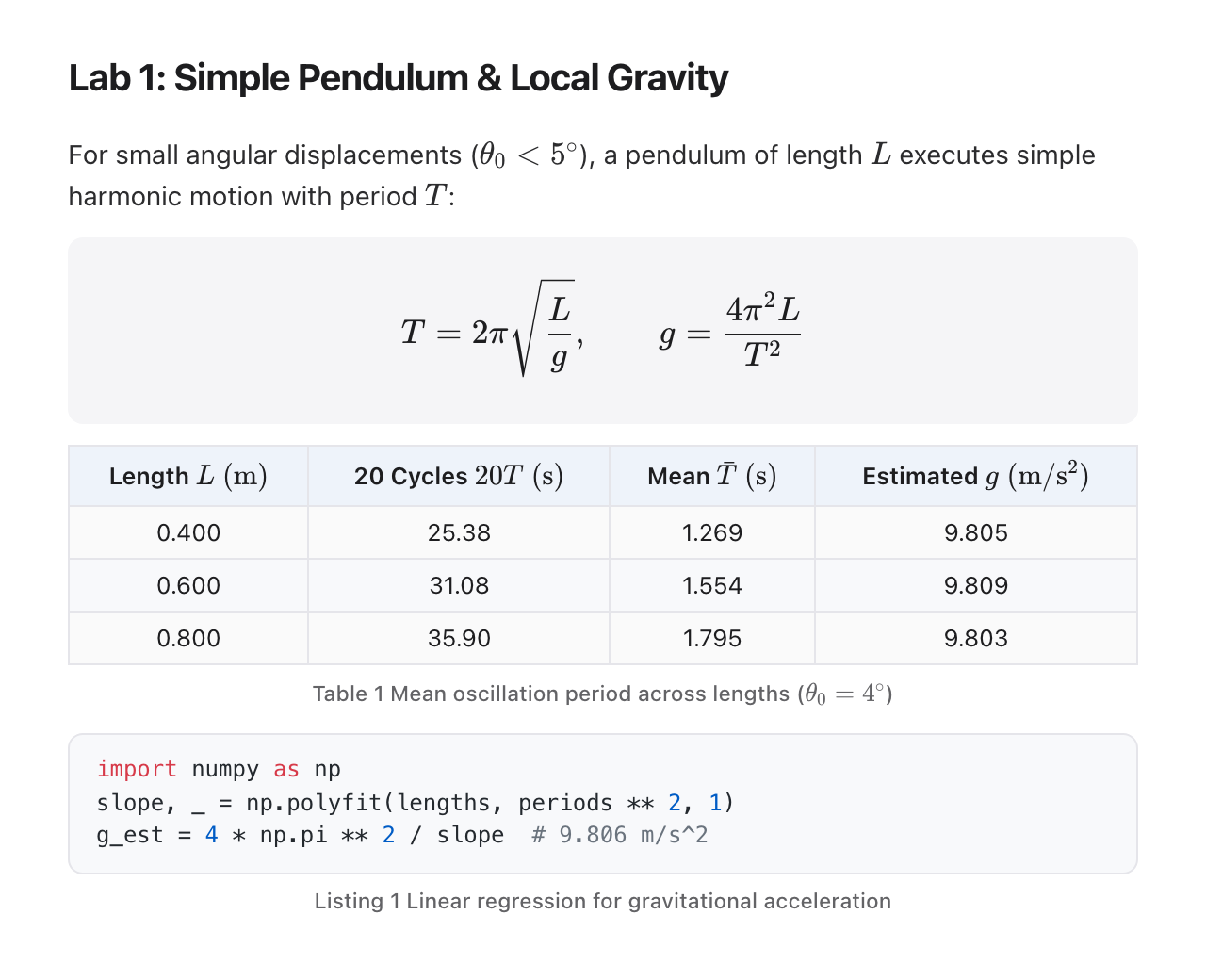
$$T = 2\pi \sqrt{\frac{L}{g}}$$01 · Capture
Paper pages, scroll captures, and PDFs in one clean queue
Gather physical handouts, long mobile articles, and desktop PDFs together, and trim unwanted banners before recognition begins.
 1234
- Automatic corner detection, continuous shots, and curved-page dewarping on iPhone & iPad
- Screen-broadcast scrolling capture with manual ad & duplicate trimming
- Import PDFs and images on Mac via file picker, drag-and-drop, or paste
02 · Recognize & Export
Two local AI engines, four editable export formats
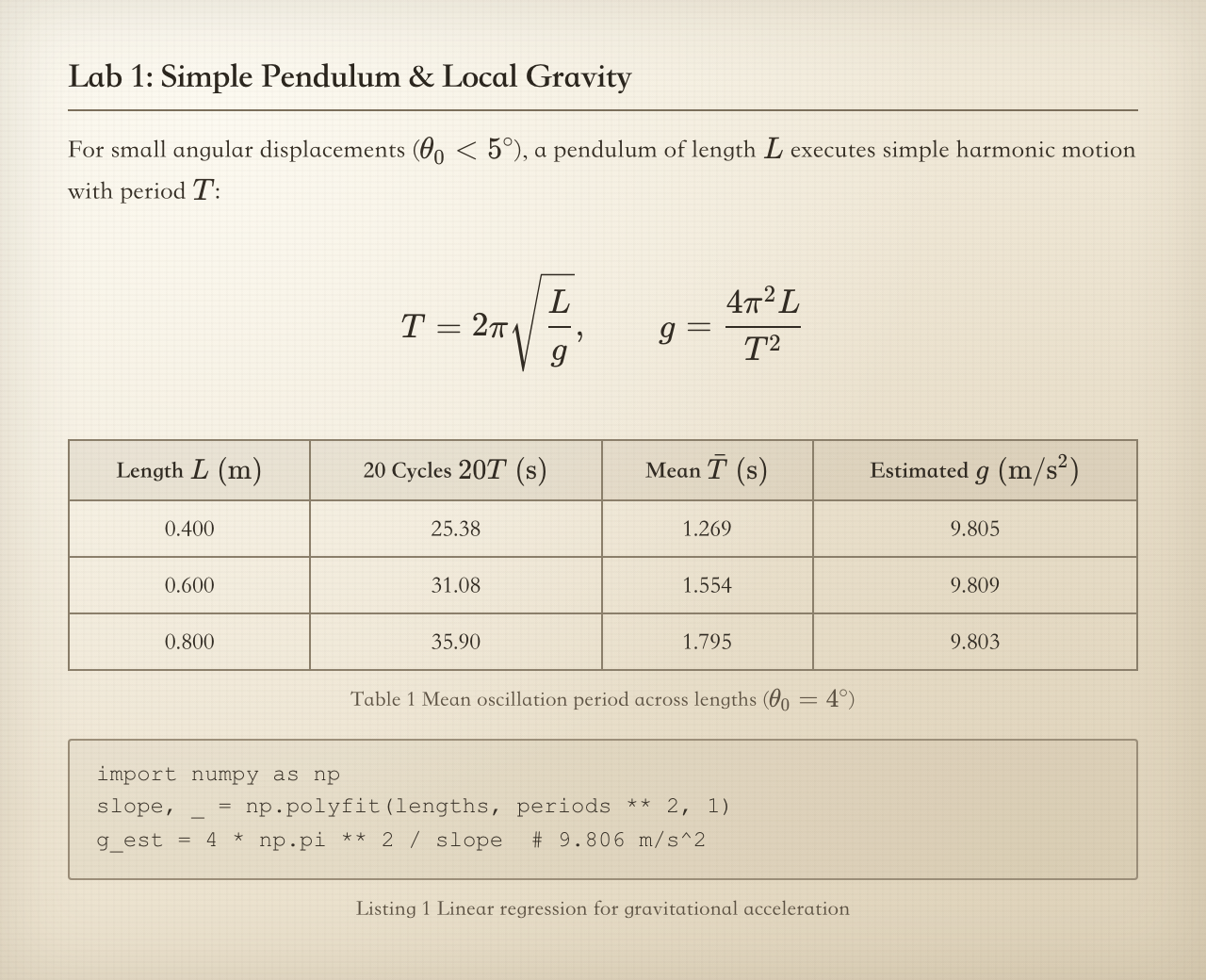
Switch between MinerU and OvisOCR2 based on your device RAM, preview pages live as they complete, and resume interrupted jobs anytime.
- MinerU handles dense math, tables & code; OvisOCR2 runs lighter and faster
- Export Reconstructed PDF, Searchable PDF, Markdown (+ images/), EPUB & MinerU
- Per-page saved progress lets long documents resume after restarts
03 · Ecosystem & Privacy
Direct handoff to your notes, with files kept on device
Inference and intermediate files stay inside your local sandbox. Export straight into your workspace without routing files through an OCR server.
 DoCube
 Notion
 Obsidian
- Send to Obsidian: writes Markdown and images/ straight to your local vault offline
- Send to Notion: sends native blocks over HTTPS only when you tap Send
- Send to DoCube: free handoff for side-by-side proofing and bilingual reading
Practical Guides
View all guides →Start turning locked scans into editable notes locally.
Requires iOS 17+ (A14 or newer), iPadOS 17+, or Apple Silicon Mac (macOS 14+) · Core OCR free; one-time Integration Pass removes ads & unlocks integrations
View detailed device requirements & pricing →